Sample Report
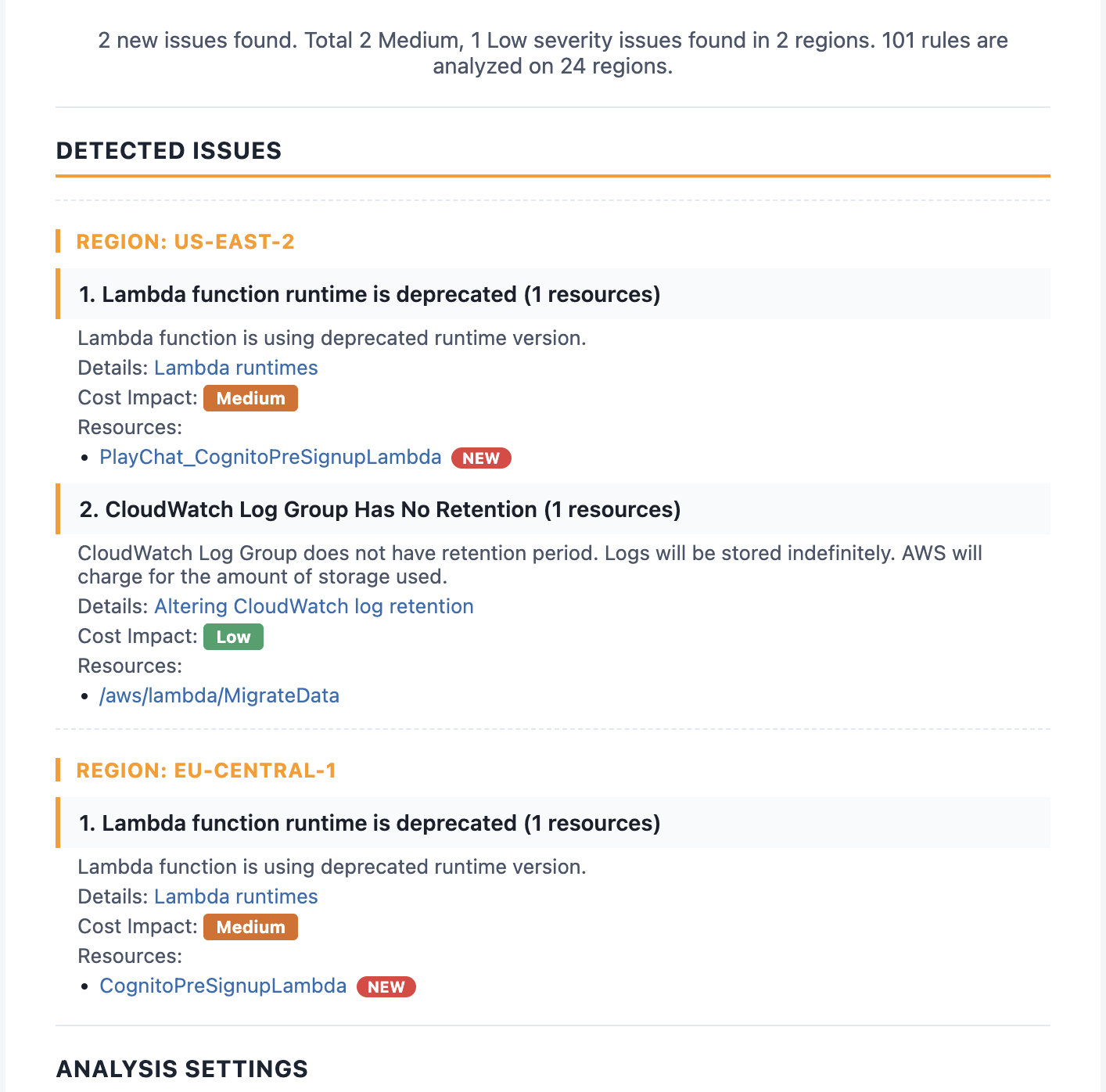
CloudSavvy reports are readable HTML files that open in any browser — no dashboards, no accounts required.
CloudSavvy analyzes your AWS account across all enabled regions, detects cost anomalies and performance issues, and delivers clear daily reports — run from your local machine or deploy as a Lambda function.
CloudSavvy scans your entire AWS account, applies 101 analysis rules, and surfaces actionable findings — so you catch problems early and keep your cloud spend in check.
Identifies unexpected spending patterns and cost drivers across all your AWS services and regions before your bill spikes.
Detects under-utilized and misconfigured resources that are degrading performance or silently burning budget.
Automatically discovers all enabled regions in your AWS environment and analyzes every one — no configuration required.
When deployed to AWS, CloudSavvy runs on a daily schedule and delivers concise HTML reports straight to your inbox.
All reports are automatically saved to an S3 bucket in your account — audit history is always available when you need it.
Execute CloudSavvy from the command line on your local machine, or deploy it as a serverless Lambda function with two shell scripts.
Each CloudSavvy run produces a set of clear HTML reports you can open in any browser or read in your email.
A prioritized list of problems found — cost overruns, idle resources, security gaps, and configuration warnings.
A complete inventory of every resource CloudSavvy inspected, organized by region and service type.
A breakdown of your projected daily costs by service so you can track spending trends over time.
Detailed diagnostic output for developers — useful when extending CloudSavvy or investigating specific findings.
CloudSavvy reports are readable HTML files that open in any browser — no dashboards, no accounts required.
Clone the repo and run a single Gradle command. CloudSavvy auto-detects your AWS credentials and scans all enabled regions.
Pass the -r flag to scan a specific region or a comma-separated list of regions.
Use two shell scripts to create an S3 bucket and deploy CloudSavvy as a Lambda that runs every day automatically.
CloudSavvy is free, open source, and deploys in minutes. Stop finding surprise charges at the end of the month.
Get CloudSavvy on GitHub